

Streamtime
2024
6 months
Sole Product Designer
No disruption to existing job structures
Retainers are a staple in the creative world, yet Streamtime offered no built-in way to manage them.
Studios patched together workarounds: copying jobs every month, juggling scattered spreadsheets, and often logging hours to the wrong period because every job list blurred together. These headaches were driving customers and leads away.
Our answer was Groups: a layer above individual jobs that carries its own budget and targets.
We began by working out how studios were managing retainers already, and what they needed Streamtime to do natively.
We analysed two years of support tags, sales call notes and feature requests, then surveyed over 30 customers to size the problem and map common workflows. Four interviews followed, with studios running different retainer models. The survey confirmed the problem was widespread; the interviews showed how differently studios actually work.
That was enough to define the v1 roadmap, including what to defer.
What we found
Studios were duplicating jobs every month. The only way to track a new billing period was to create a new job from scratch. Some studios were doing this for dozens of clients.
Retainer finances lived outside the product. No parent-level budget view meant studios tracked retainer totals in spreadsheets outside of Streamtime.
Time was regularly logged to the wrong job. A long list of near-identical job names, one per client per month, gave team members no structural help choosing the right one. Mislogging was frequent enough to be a named pain point.
Users weren't confident they were set up correctly. Several survey respondents said they might not be using Streamtime correctly for retainers, and were open to being shown a better way.
What it meant
A budget and target view above the job. Studios needed one record holding the whole engagement, with its own numbers.
Defined periods for time-based retainers. Monthly and quarterly agreements needed real period boundaries so logged time lands in the right one.
Linking that left existing jobs alone. Jobs already carried quotes, invoices and logged time. Grouping them could not change how any of that worked.
Support for two different setups. Time-based retainers and multi-job projects had little in common beyond needing a parent view. One structure would have overserved one and underserved the other.
Where it landed
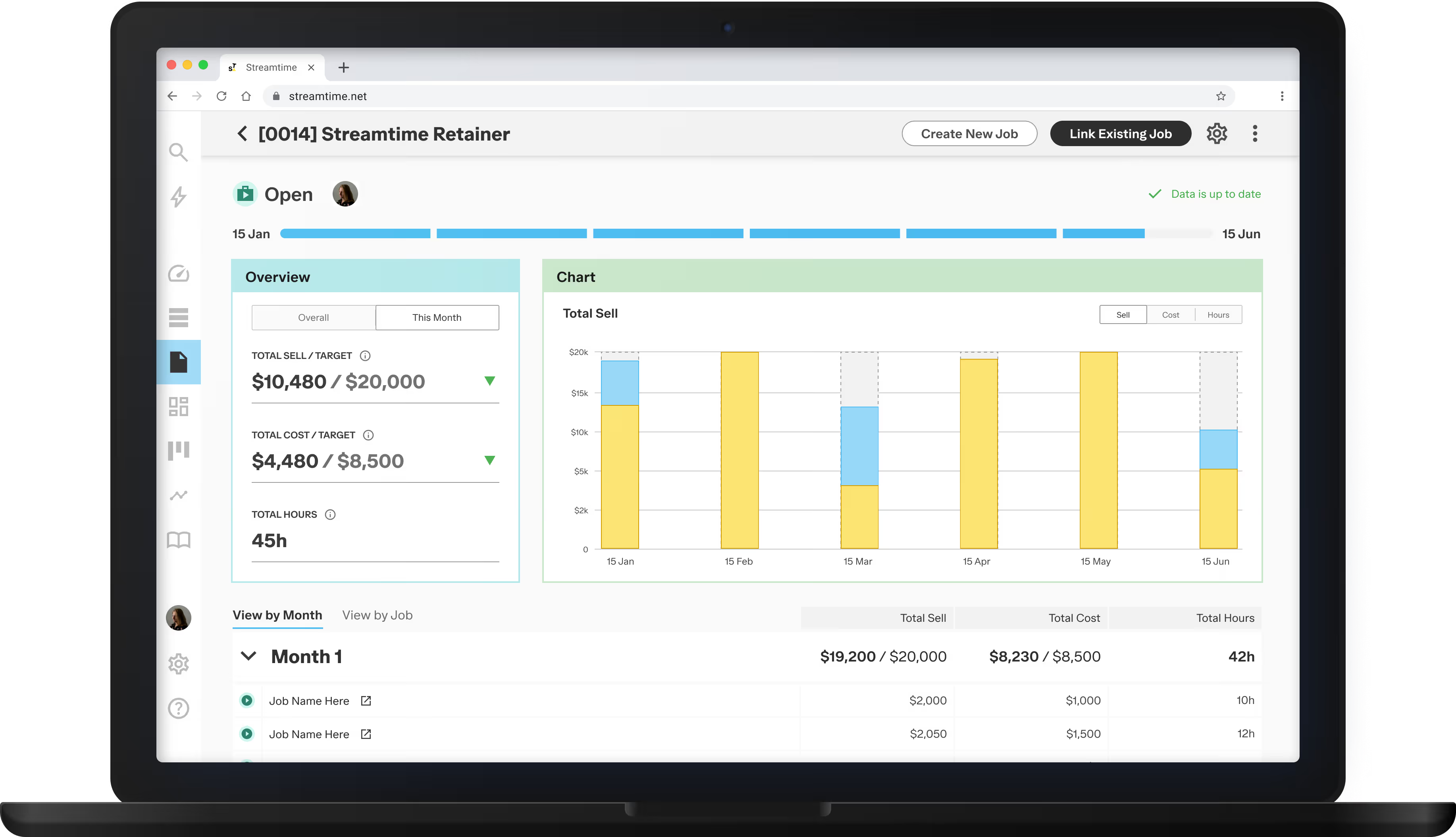
SHIPPED IN V1 Parent-level budget and progress tracking — a group layer above individual jobs, with configurable targets and a burn-up chart showing cumulative progress across the full engagement.
SHIPPED IN V1 Period structure for time-based retainers — Repeating Groups with a defined start date, period length, and per-period job linking, replacing the manual monthly job duplication workflow.
SHIPPED IN V1 Flexible grouping for non-recurring work — Job Groups for campaigns and multi-job projects: the same parent-level view without the period overhead, serving the second workflow the research identified.
SHIPPED IN V1 Visible mislogged time — time logged outside the active retainer period surfaces in red in the group overview, so the error is visible at a glance.
FUTURE Target rollover between periods — carrying unused hours or budget from one period to the next: a common retainer model that the v1 system tracked but didn't automate.
FUTURE Automated invoicing from groups — generating invoices directly from a group rather than assembling them manually from individual job exports, dependent on invoicing flow changes outside this project's scope.
Four opportunities shipped in v1. Two were scoped out: one for technical reasons, one as a deliberate next-release decision.
The interviews were where this got complicated.
Studios described setups with almost nothing in common. Some ran fixed monthly periods; others ran multi-job projects with no cadence at all.
Both needed a parent view, and neither would have worked inside the other's structure.
So the architecture had to carry two types. That was settled in research.
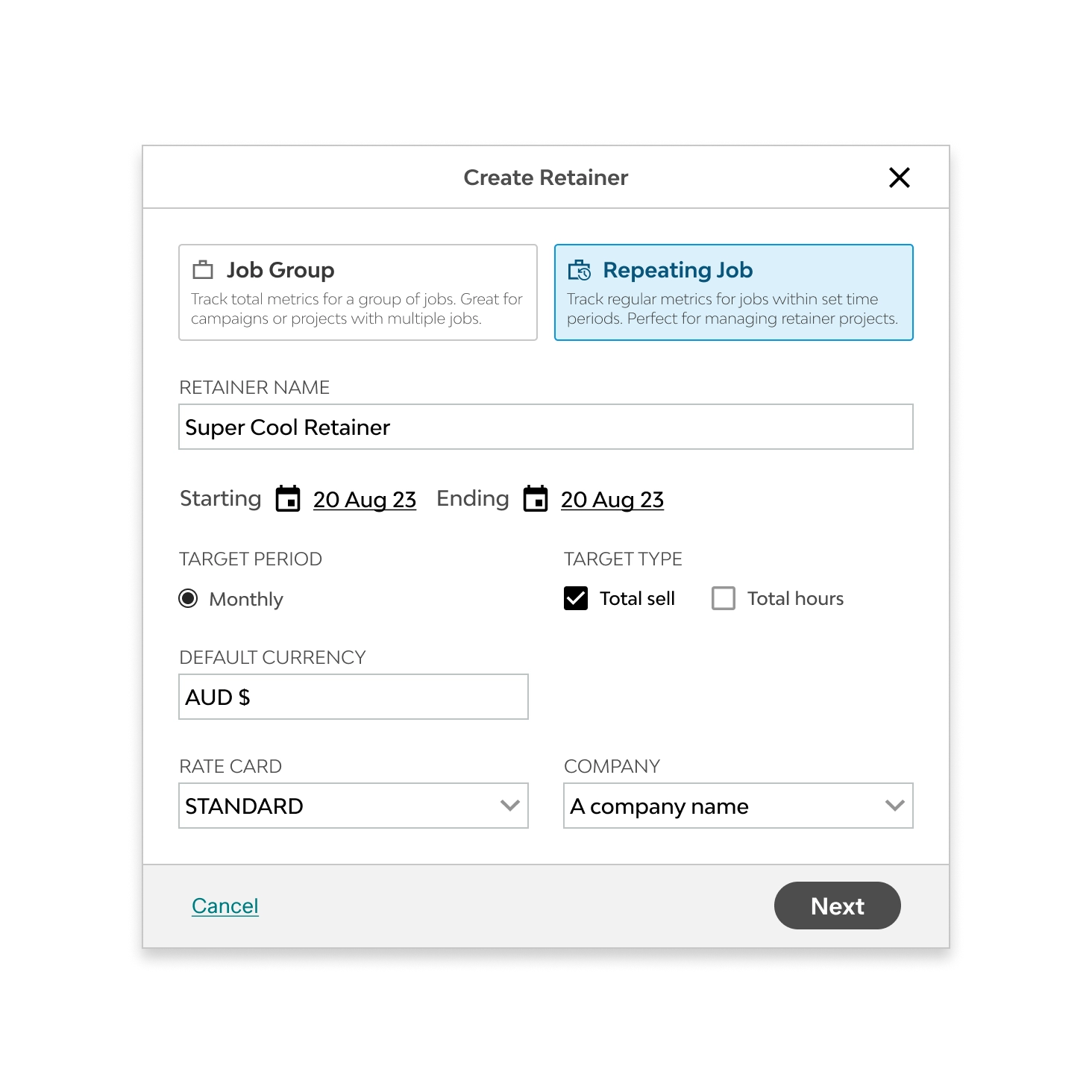
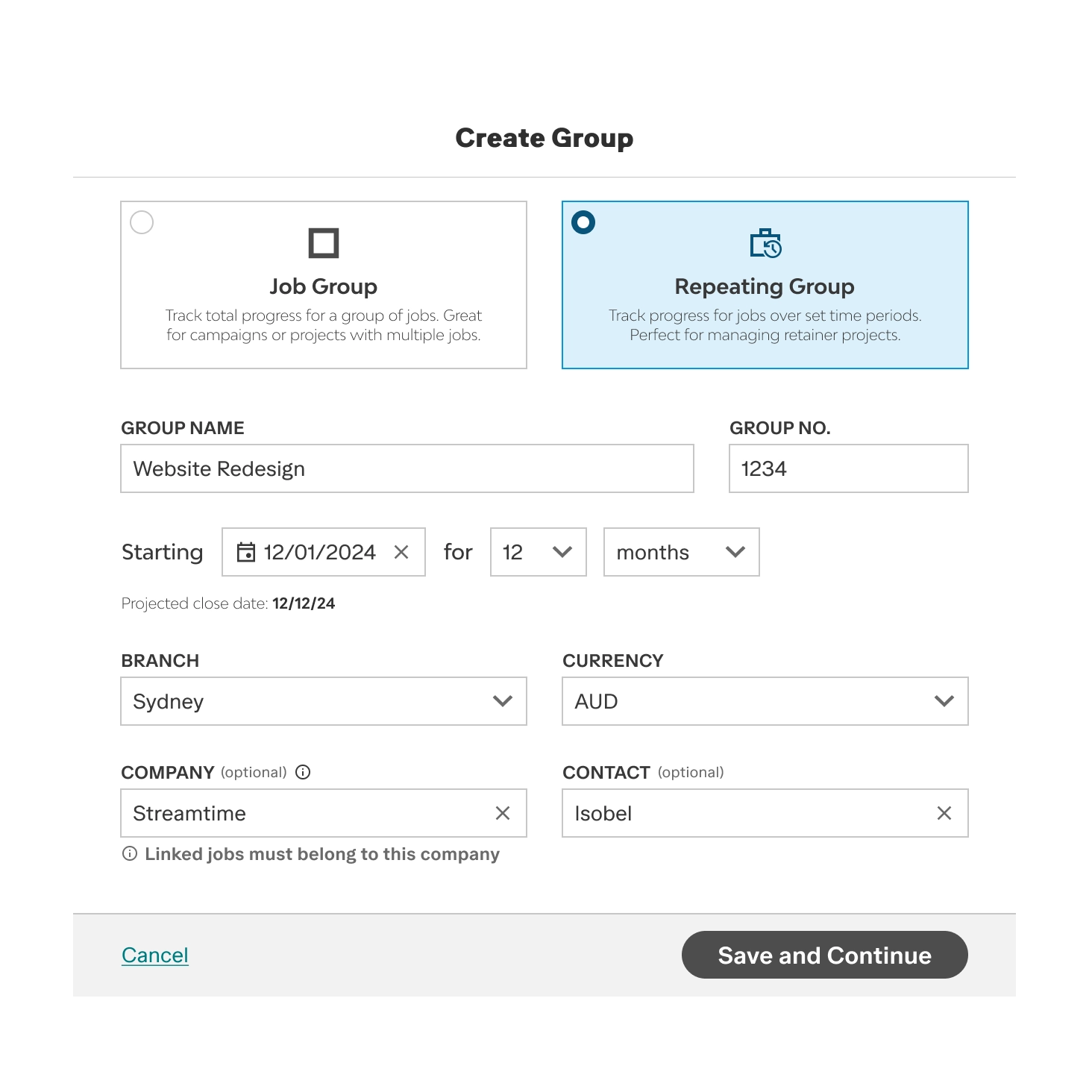
I committed to two types of Groups. Repeating Groups for periodic retainer work: a start date, number of periods, period length, per-period targets, and a projected close date. Job Groups for flexible multi-job projects: optional dates, no period structure, aggregate metrics across all linked jobs.
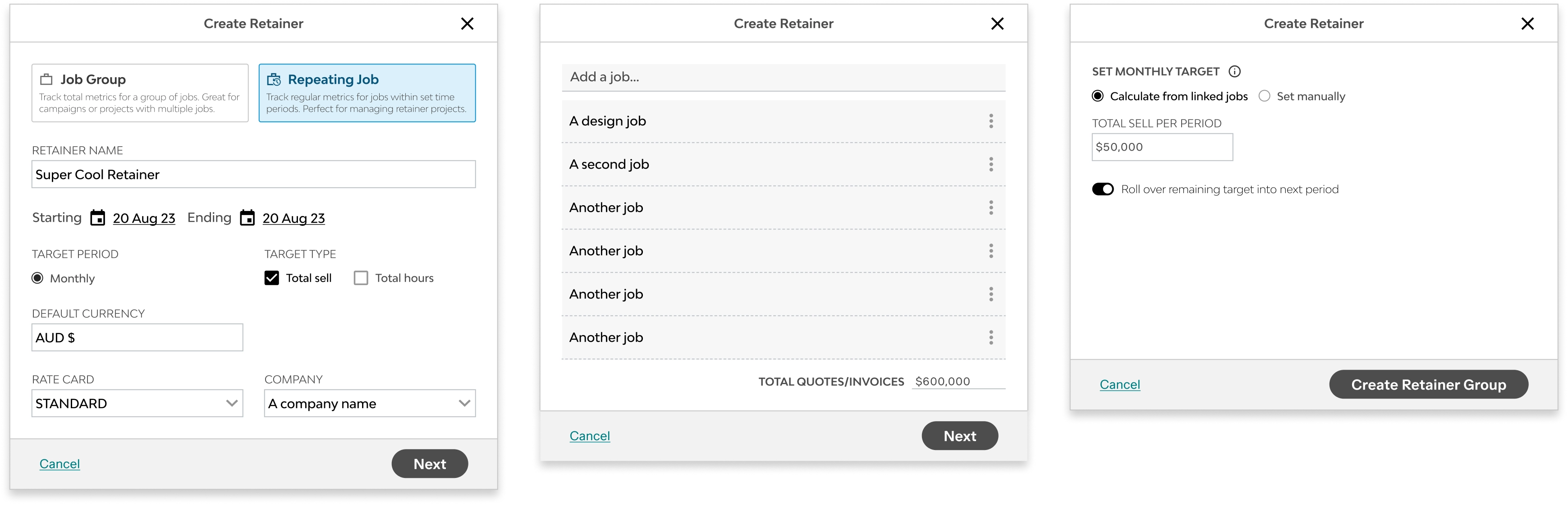
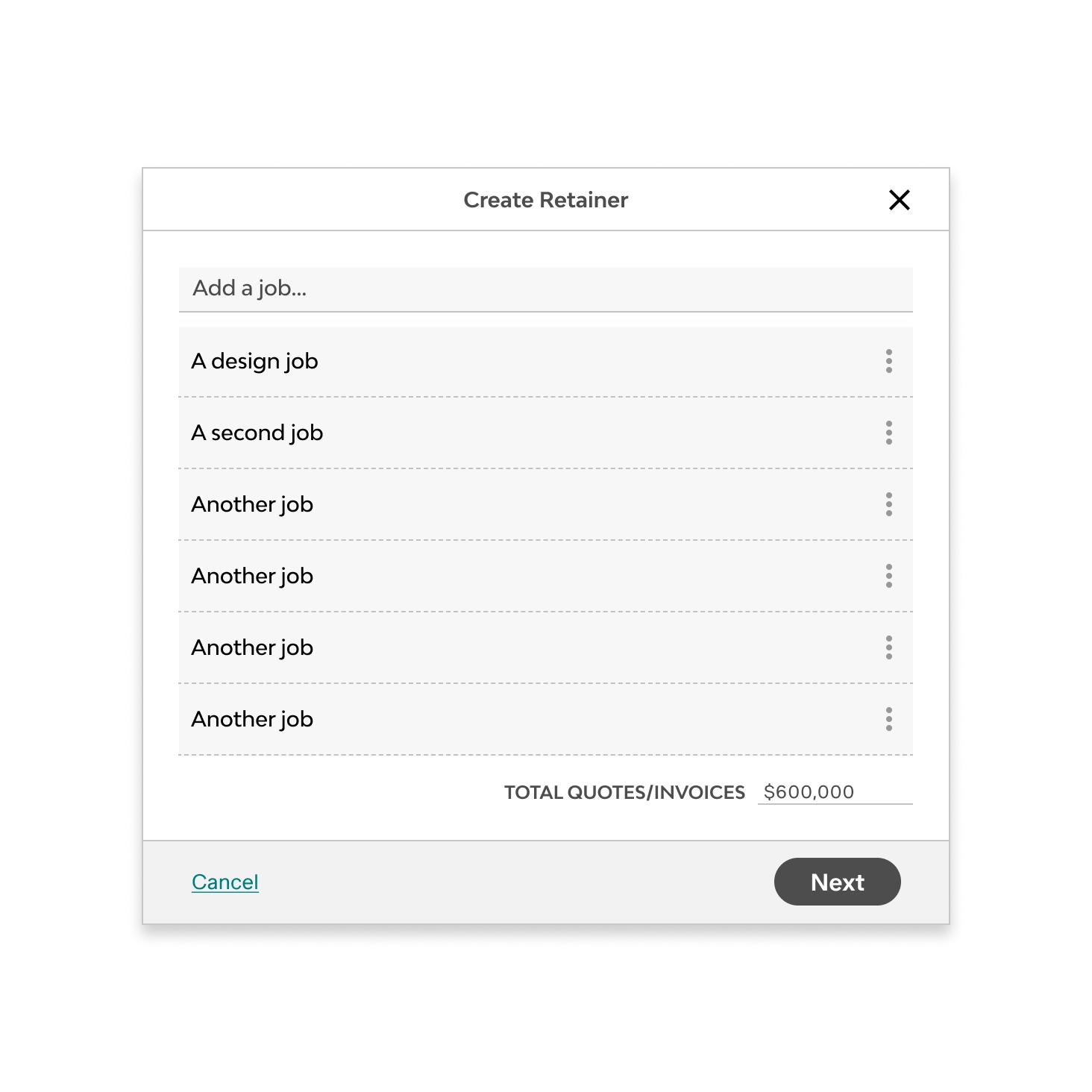
I built it into a demo environment and tested against a copy of each customer's account. Setup ran in a single modal: type, jobs and targets in one flow, which ended on the Group overview page.
We tested the design and user flow with four customers across different retainer models: monthly fixed fee, quarterly hour banks, time-and-materials with rollover, project-based groupings.
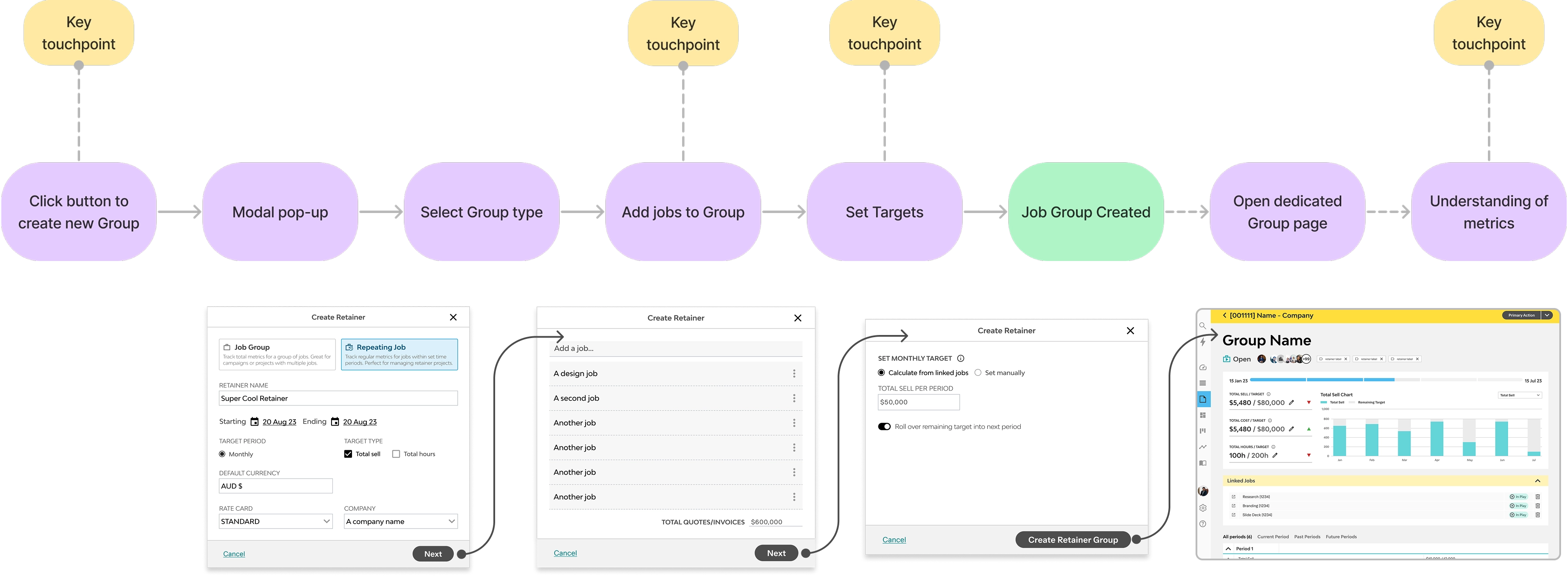
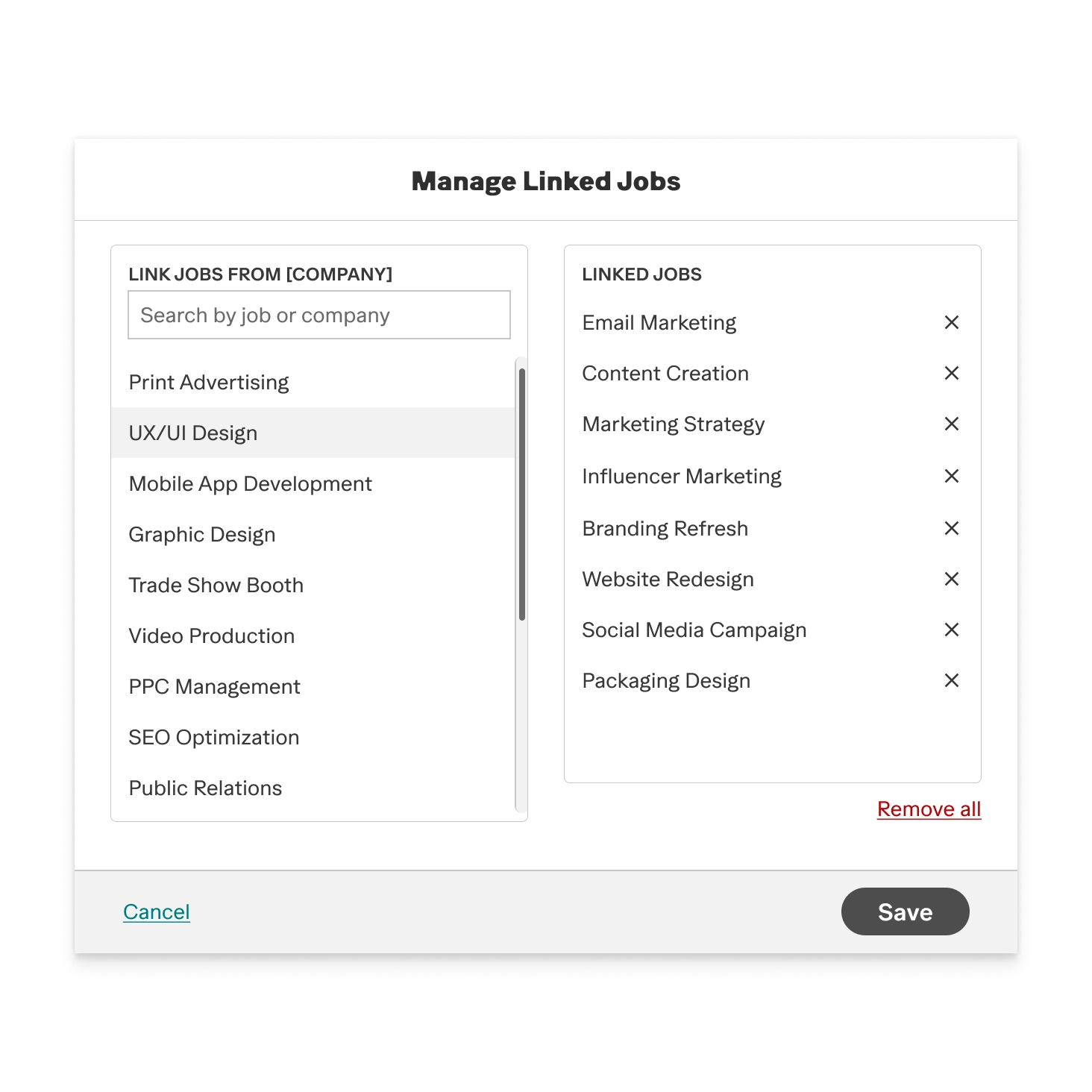
The modal flow created a loading problem nobody could interpret. The flow ran: select type → link jobs → set targets. Every job added triggered a backend recalculation and a dismissable full-screen indeterminate loader. Participants waited, assumed the page had broken, or clicked out before it resolved. The loader was doing real work; it read as an error.
The type distinction wasn't clear. The two types carried equal visual weight, so nothing signalled that they worked differently.
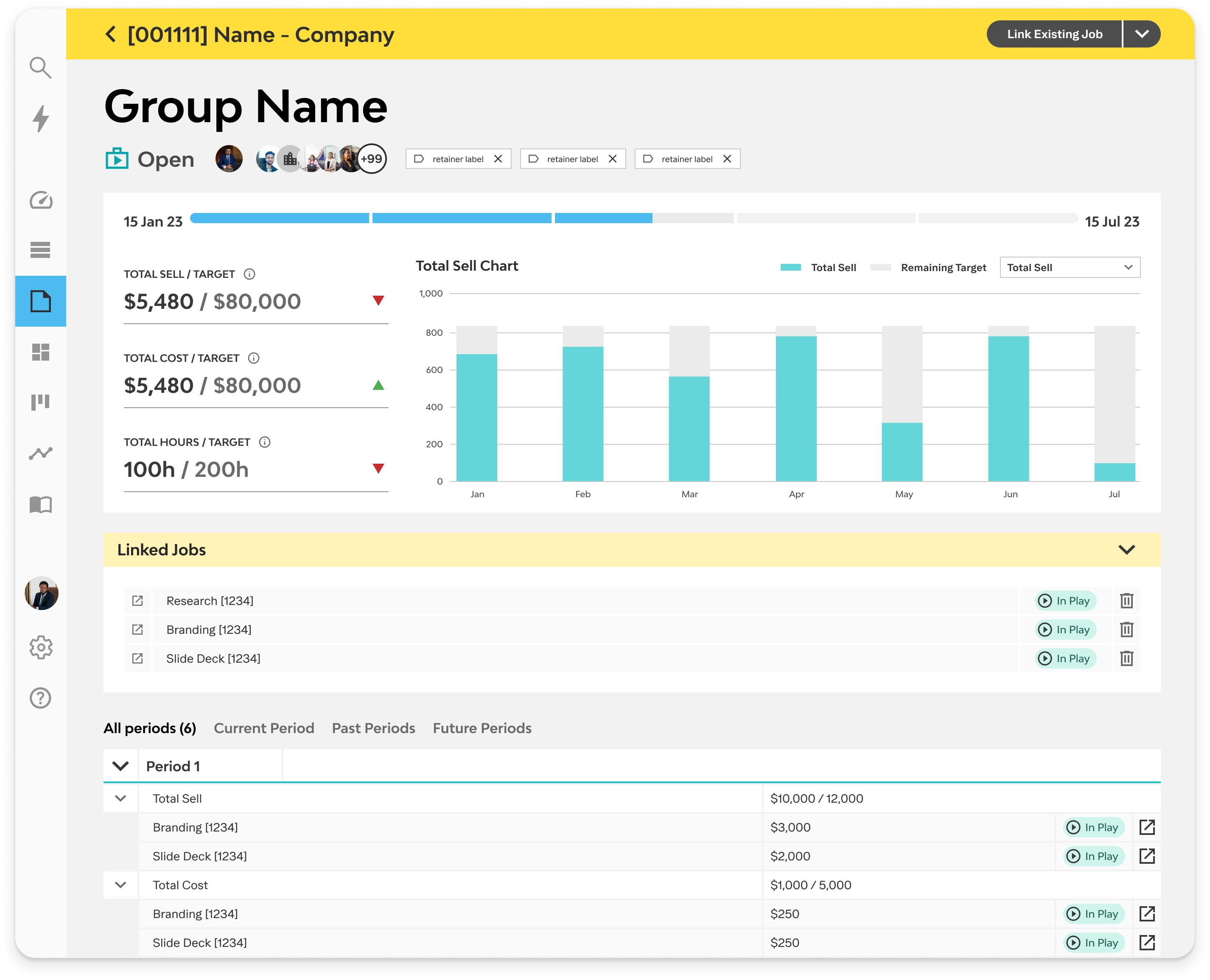
The empty state disoriented. Landing in a blank overview after the modal looked like something had gone wrong.
The empty state disoriented people. The donut showed where users were in the current period. Participants wanted to know where the retainer was tracking overall.
Every participant responded positively when the overview loaded with real data. The concept held. Every change after this round was to the setup flow; the group page stayed as designed.
Testing in customers' own demo environments told us what had to change. I reworked four things, then handed over to development.
I moved job linking out of the creation modal.
Setup is now type and targets only. The group page prompts for jobs once you arrive.
Studios can now build a group before the jobs exist. The original flow made that impossible.
I rebuilt the selection step so each type states its structure up front.
Studios can now tell which one they need before committing to it.
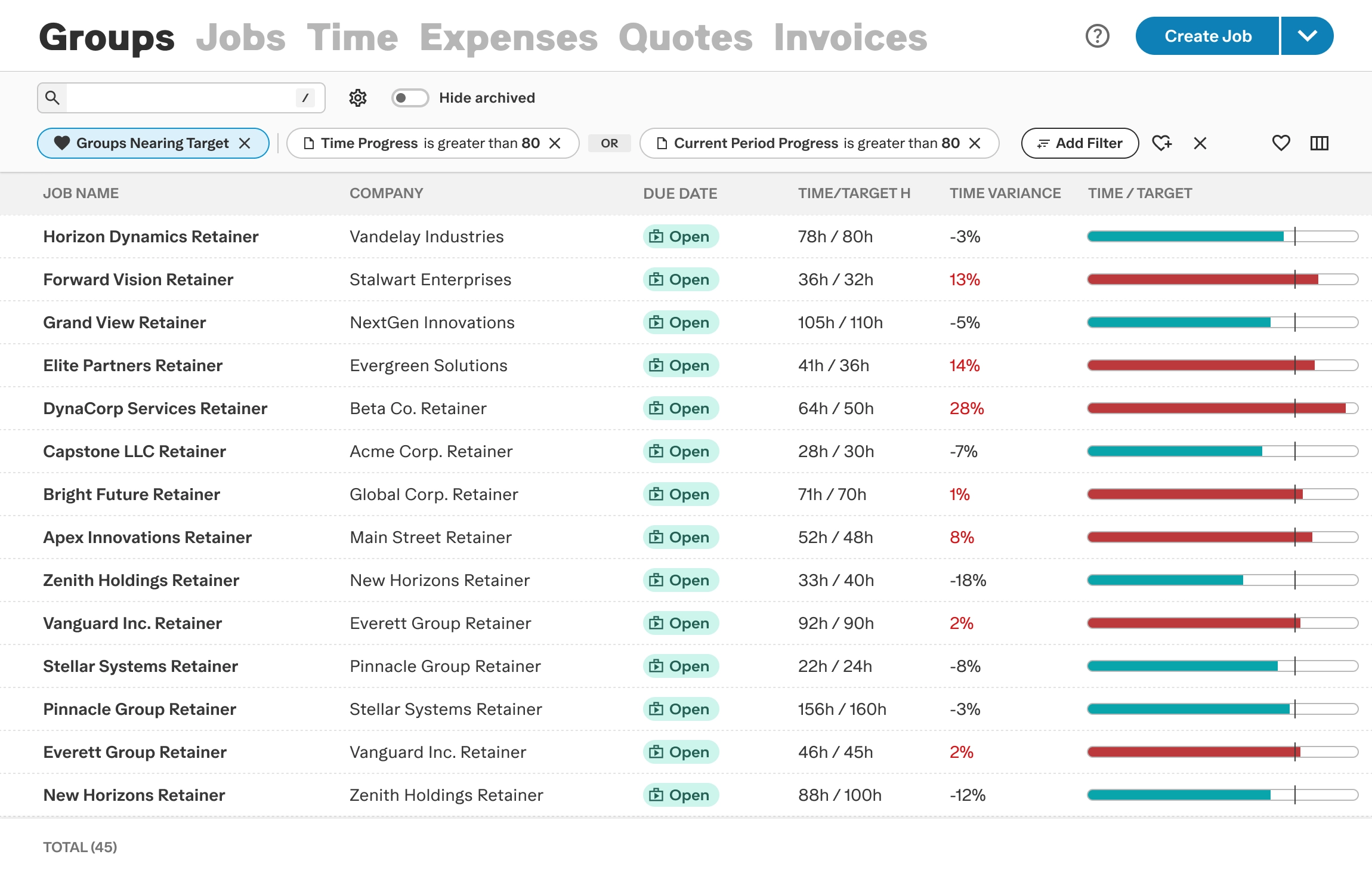
I added Groups to the existing list view alongside jobs and quotes, which brought batch actions, filtering and basic reporting with it.
An Overall / This Month toggle switches between cumulative progress and the current period. Linked jobs now sit inside the period they belong to.
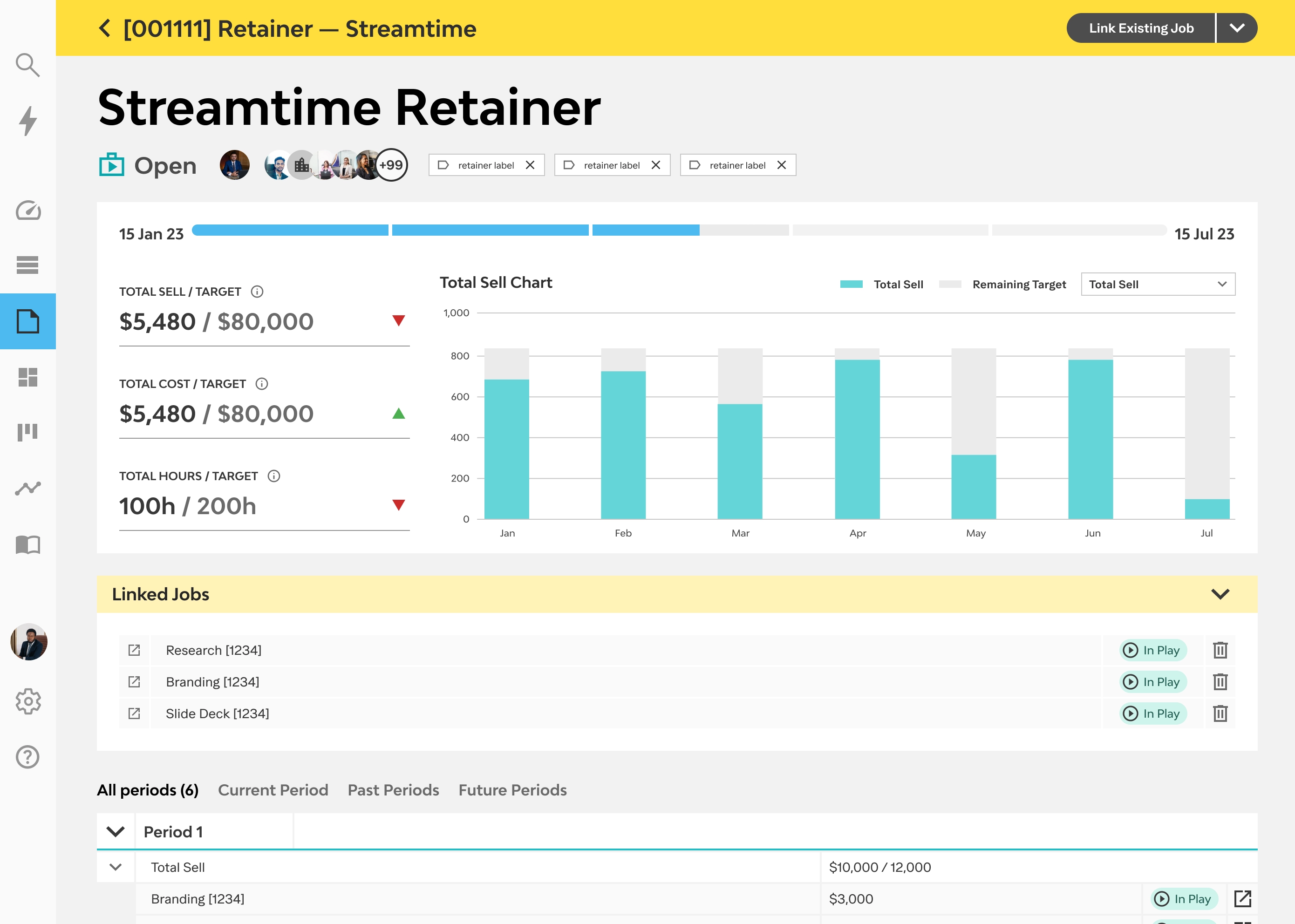
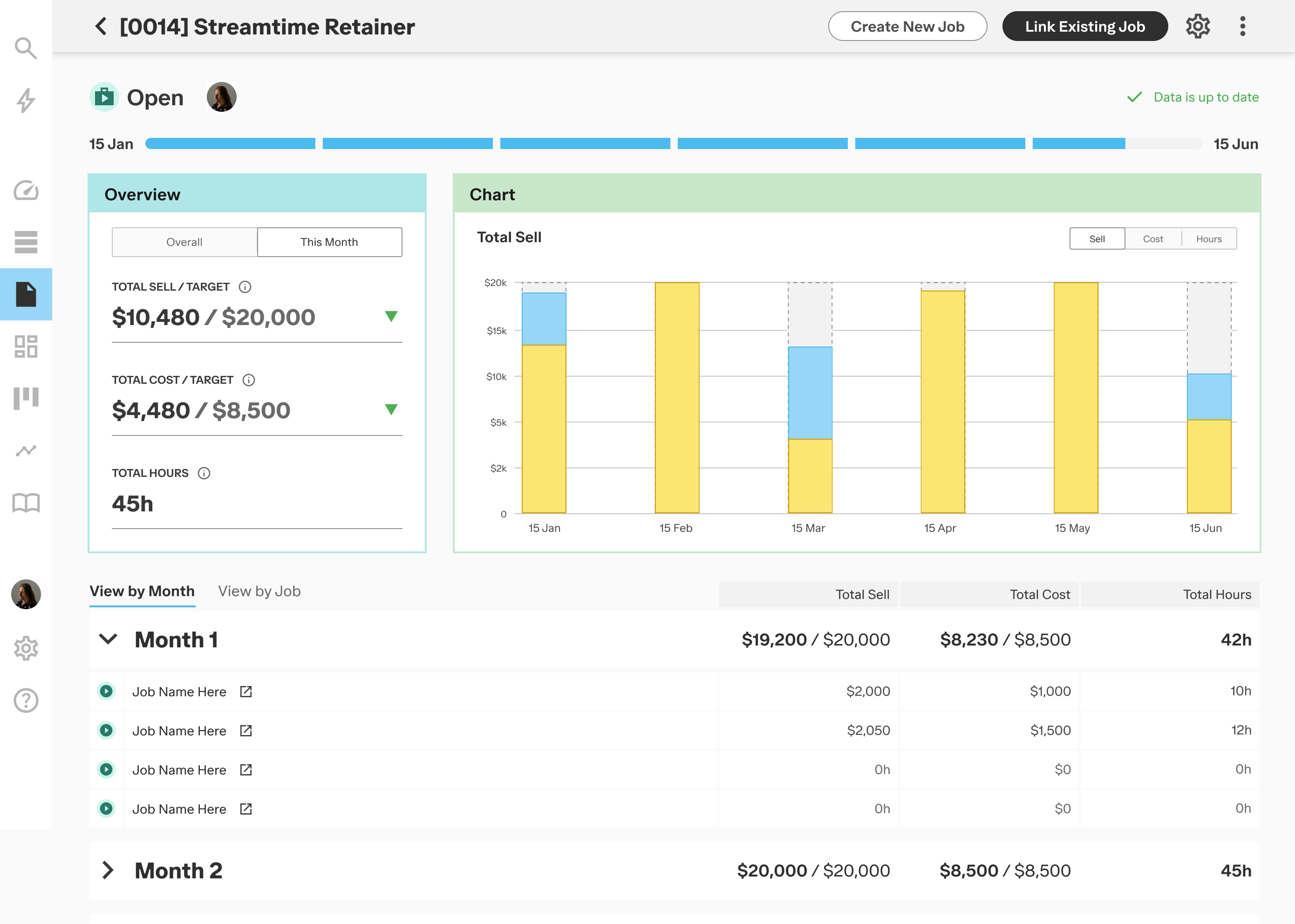
Retainer studios now run this inside the product. Campaign and multi-job work gets the same parent-level view without the period structure.
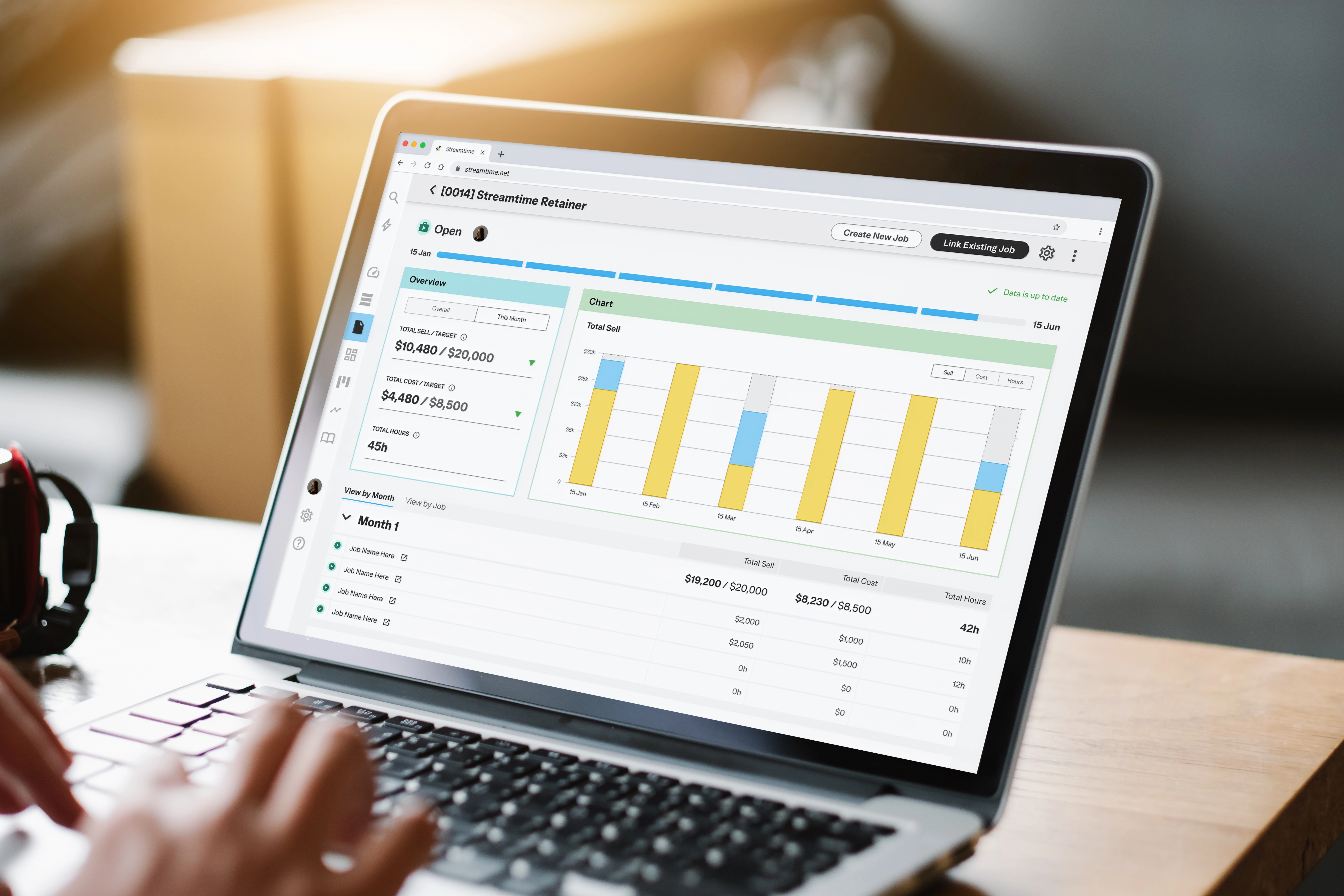
The two-group architecture held up in testing.
I underestimated how hard target setup would be to learn. Choosing a metric type, and telling a cap apart from a goal, are the two things the feature most depends on. I treated it as a form with supporting copy when it needed to explain the idea before asking anyone to act on it. Tooltips don't solve mental model gaps, and I should have caught that in the first round.
The loading state was a more fundamental miss. I designed for data that arrived instantly, without checking actual processing latency with the team first. One conversation at the start would have produced a different loading pattern.

