

Streamtime
2025
12 months
Sole Product Designer
A 2019 codebase and fixed release windows
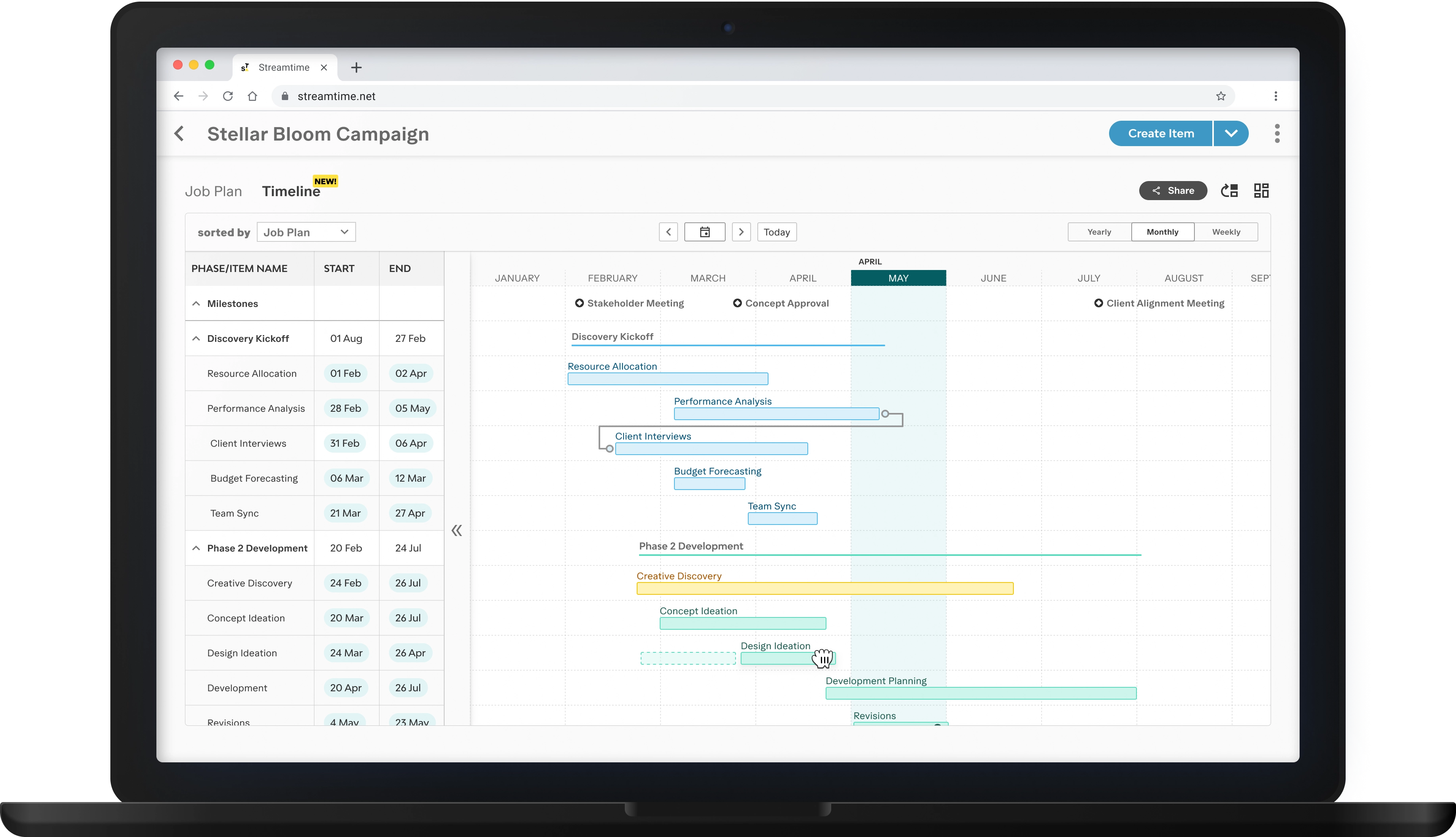
Our Gantt chart hadn't been touched since 2019. In that time, user expectations shifted, competitors raised the bar, and a backlog pain point grew.
By the time this project was underway, the feature had become a liability: it had an outdated UI, a confusing UX, and a codebase that was affecting performance. Studios rebuilt their larger projects by hand in Smartsheet and Google Sheets rather than using ours.
An agency director told me in person that the timeline was “the worst part of the entirety of Streamtime.”
My brief was to research it, design it, ship it, and see it through to launch.
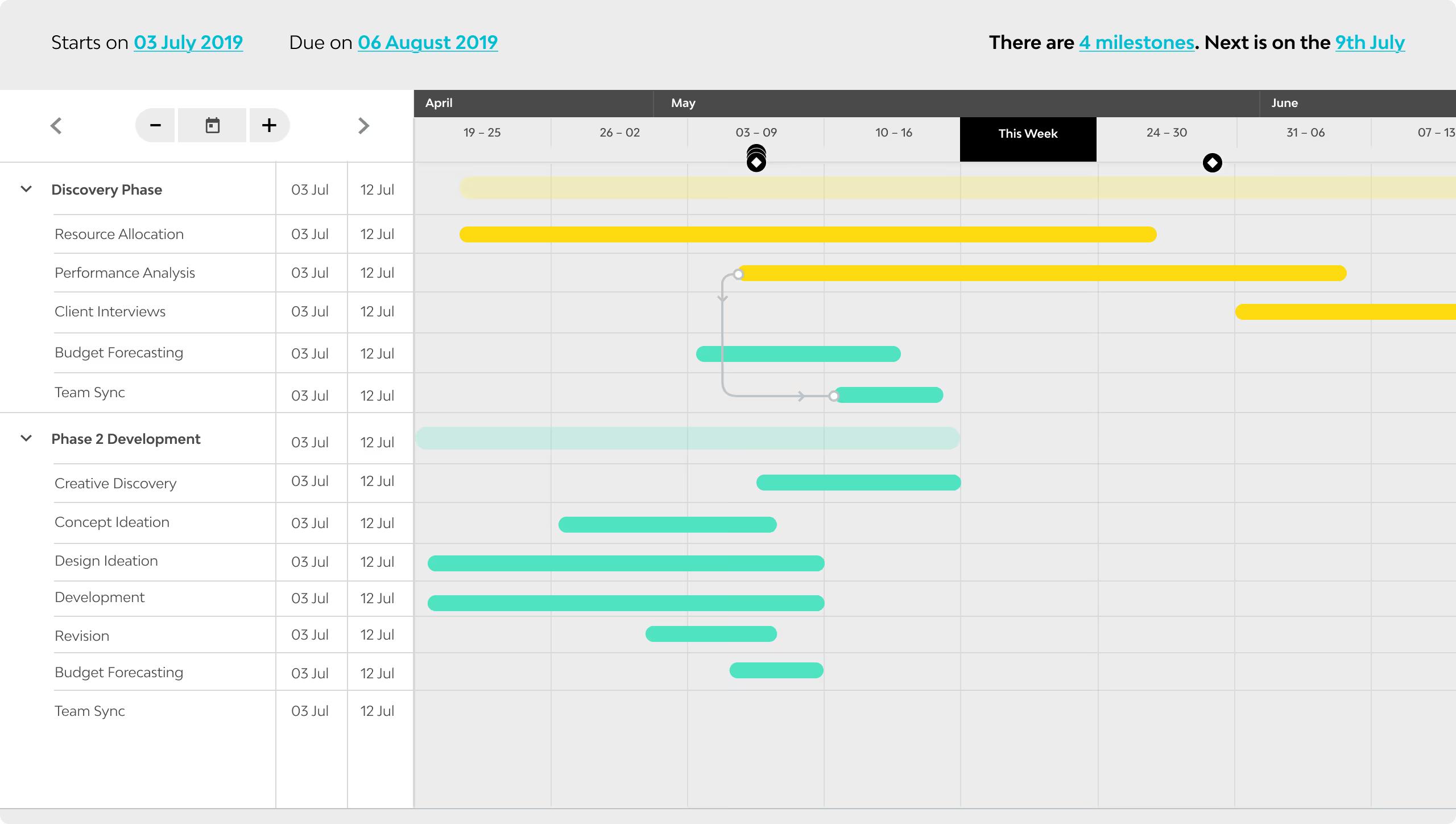
I reviewed six years of CS-logged feedback before opening Figma, and grouped it by the most frequent pain points:
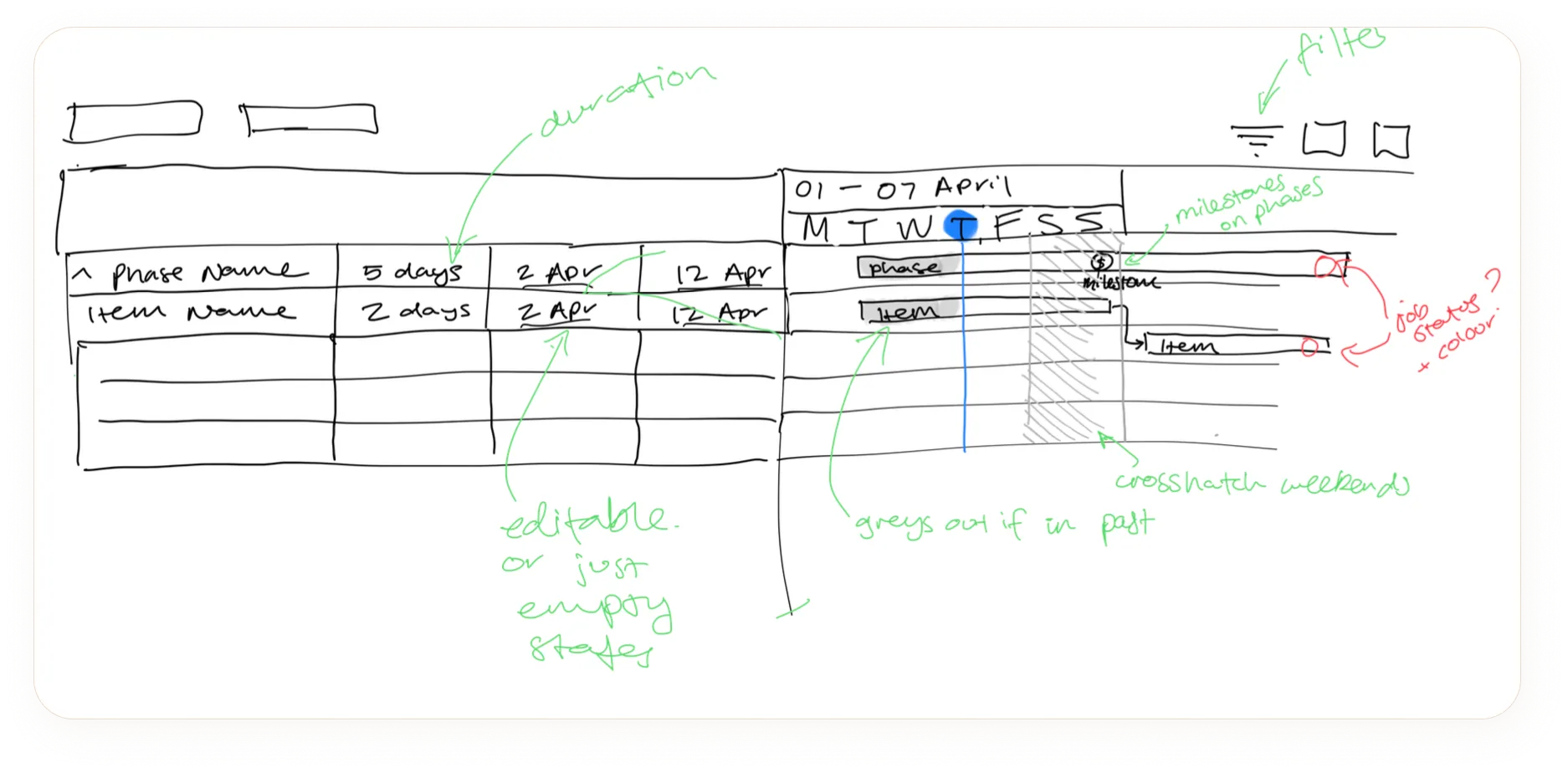
I began with low-fidelity sketches to quickly explore layout options, focusing on addressing the pain points previously identified.
Rapid sketching let me test ideas with engineering before developing high-fidelity designs.
Collaborating closely with engineering, we iterated the design from both development and design perspectives to land on a final result that both addressed pain points, and was technically feasible.
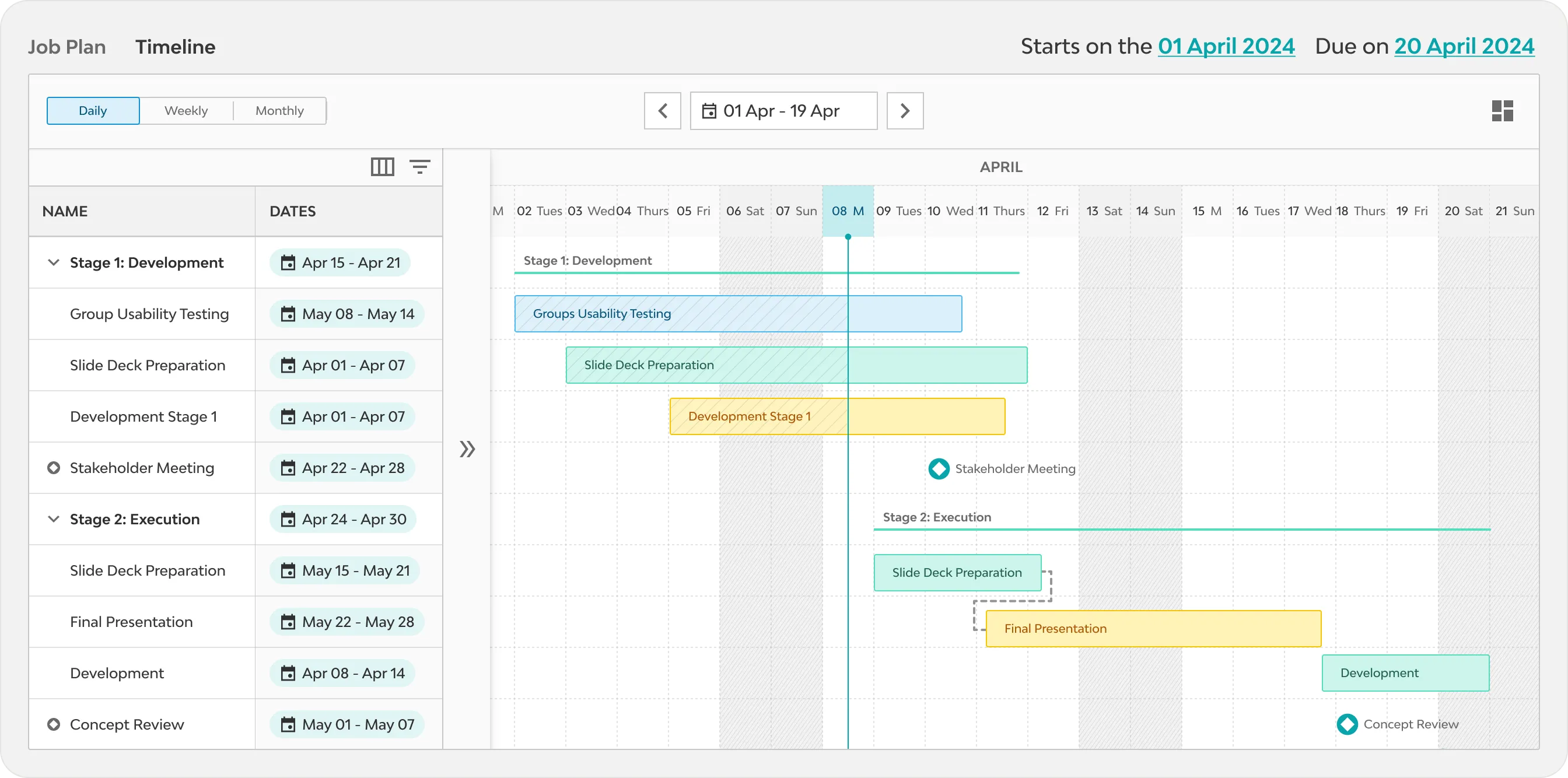
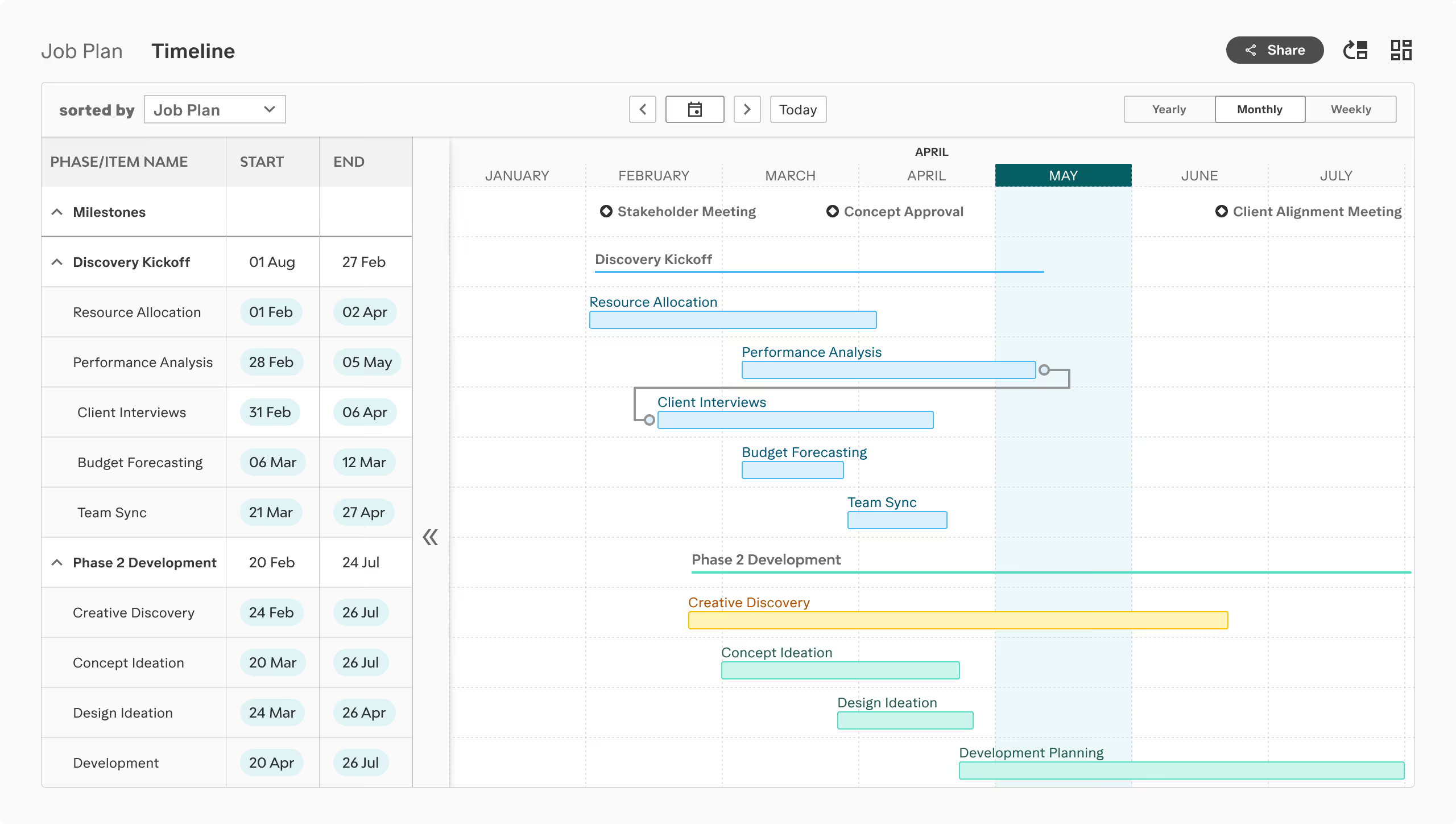
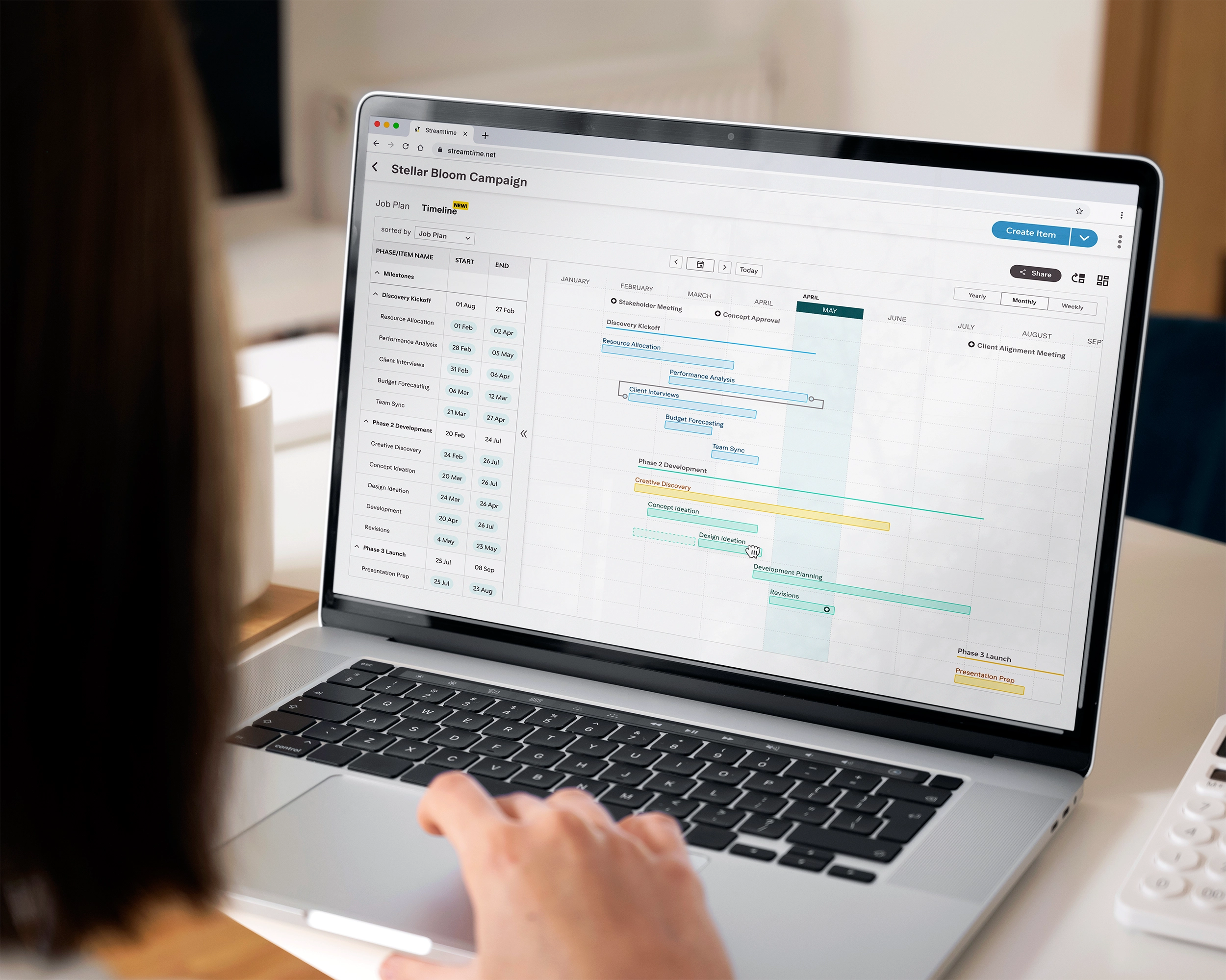
The shipped table and chart in high fidelity: inline editing in the sidebar, two density settings, weekends as a visual layer only.
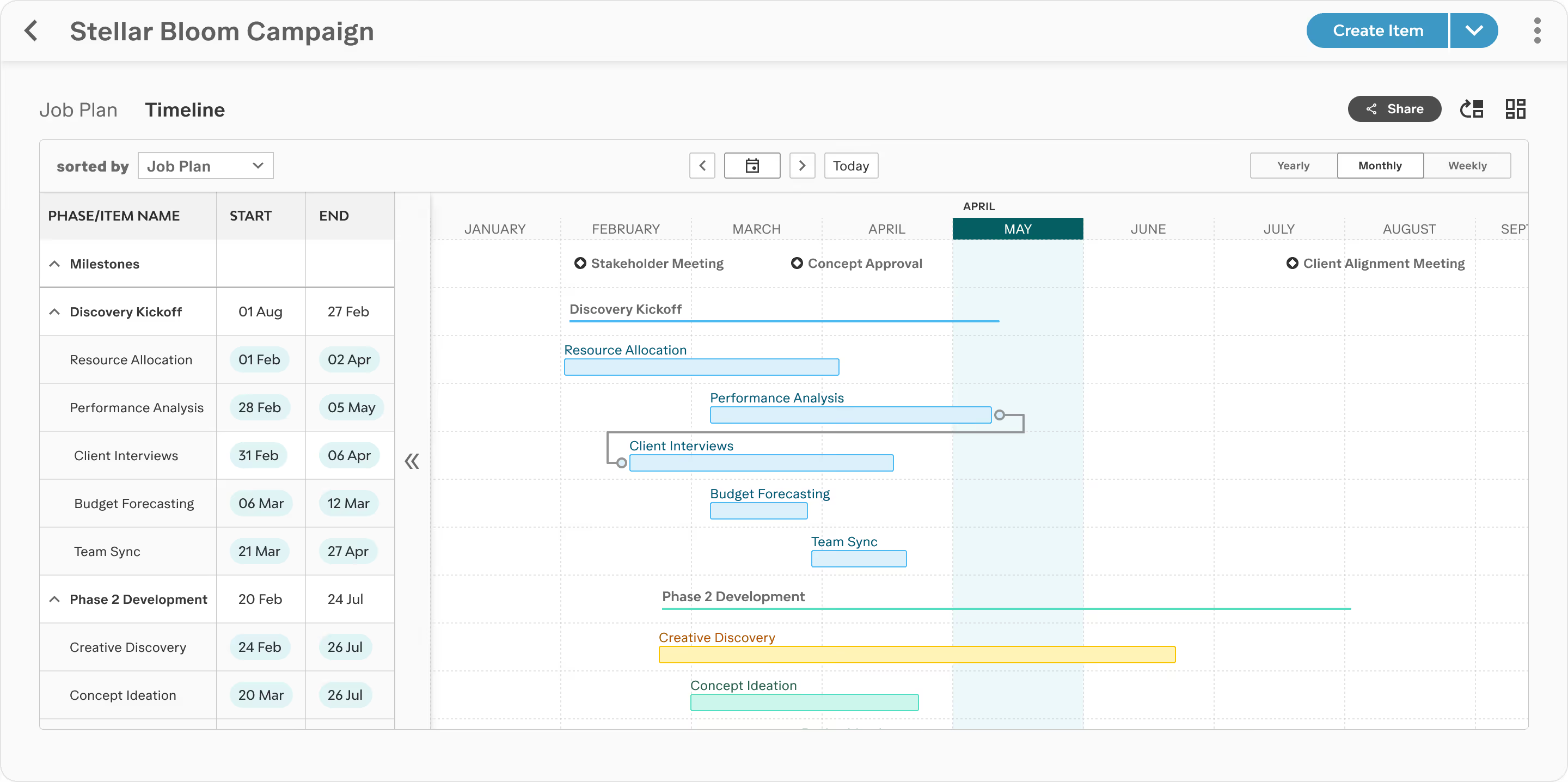
Milestones attached to items on their own rows, with dependencies drawn between items: the scoped-down model that shipped.
Most of the pain points cost users time inside the product. One sent them out of it: with no way to share a client-facing version, teams rebuilt their timelines by hand in another tool. The fix was the Client View. Users enter a separate client edit mode, hide any items, phases or milestones they don't want shown, and publish. The client gets a read-only timeline they can scroll and zoom.
Prior to testing, I suspected the mental model was unclear but couldn't pinpoint where it broke down, so I built the test sessions specifically to find out.
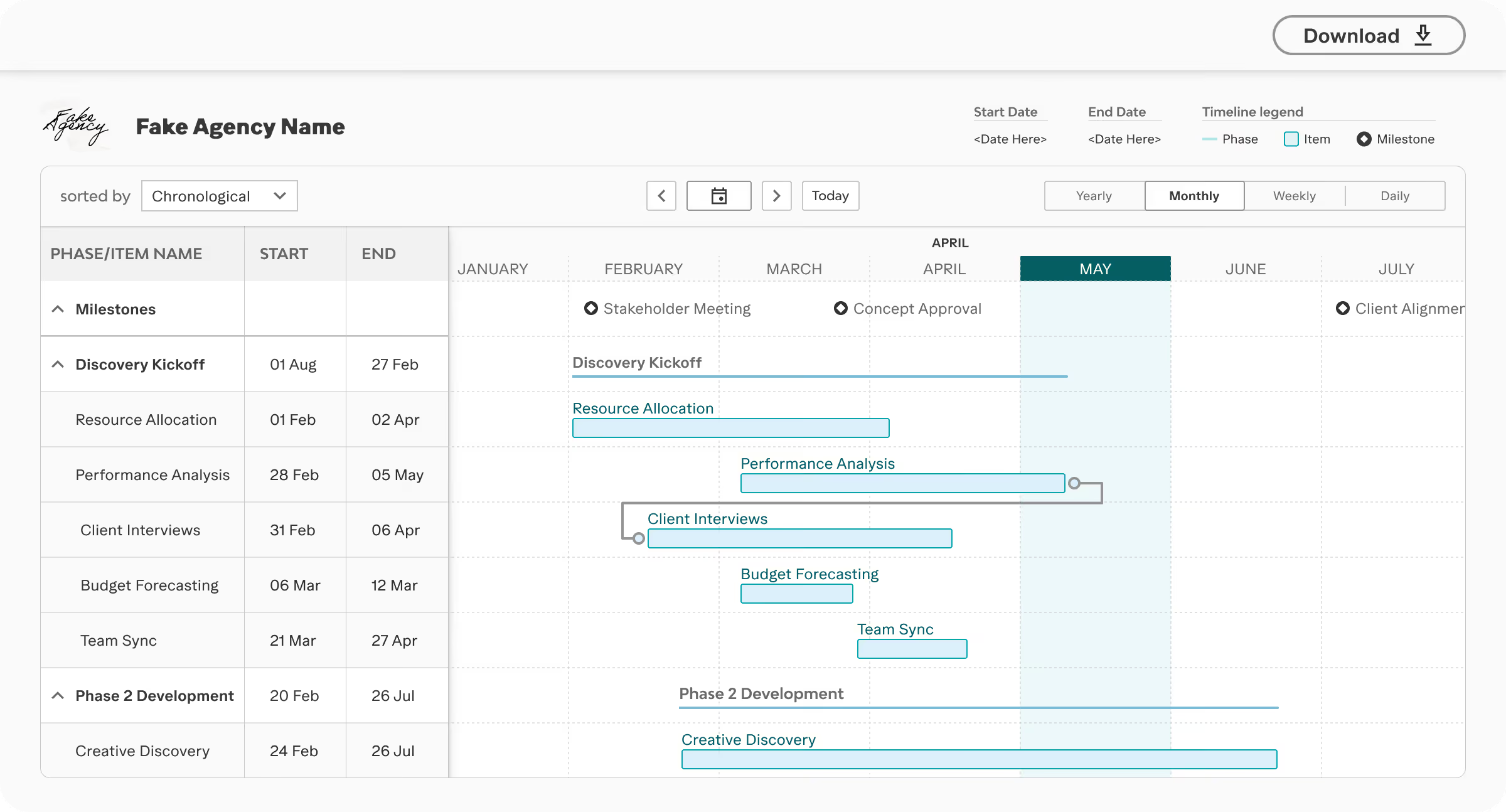
I ran six research sessions with creative studios in a demo environment loaded with each participant's own account data. Every participant saw the value of the client app straight away. The problems were all in how they reached it.
Users were unable to distinguish between modes.
Several edited the client version, believing it was their main timeline and not realising they had switched modes.
A publish modal appeared immediately on entering client edit mode.
It arrived before users were ready to publish, and left them disoriented about where they were in the workflow.
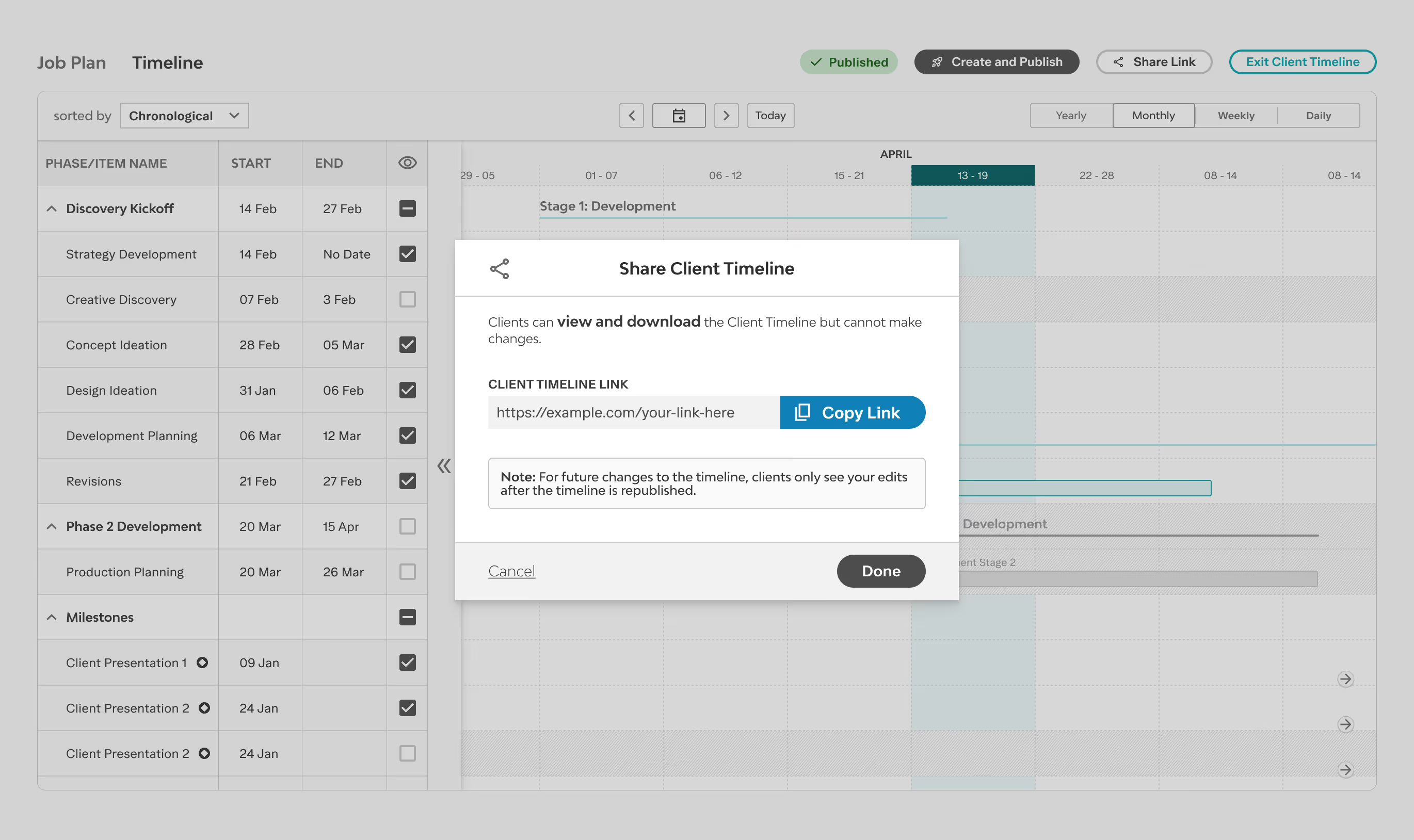
One caveat from the synthesis: every participant previewed the client app before returning, so I couldn't isolate whether the preview flow or the visual hierarchy caused the confusion. The rework addressed both. I validated the changes through internal testing rounds and two weeks of whole-team release testing, then watched them hold up in session replays after launch.
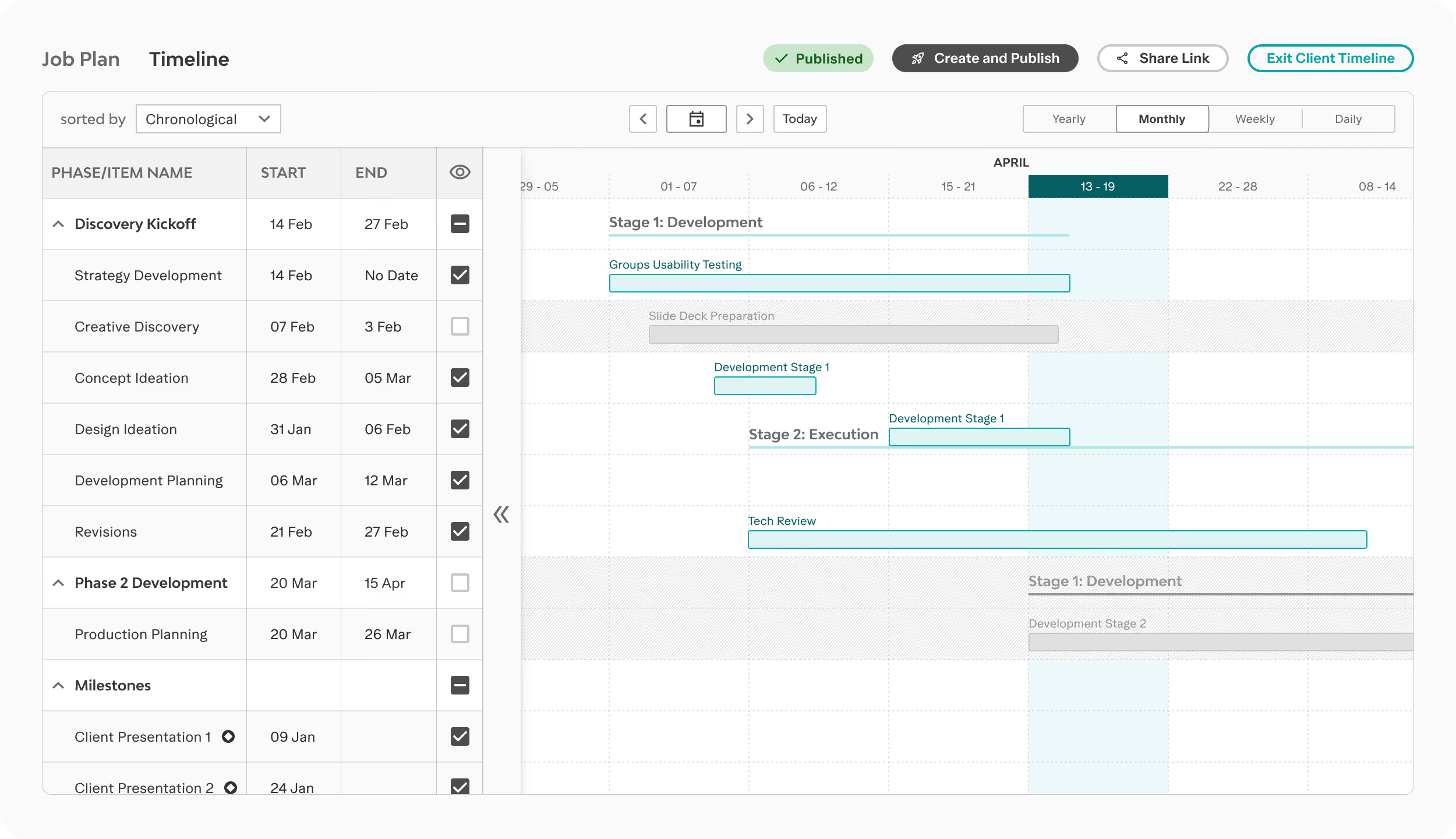
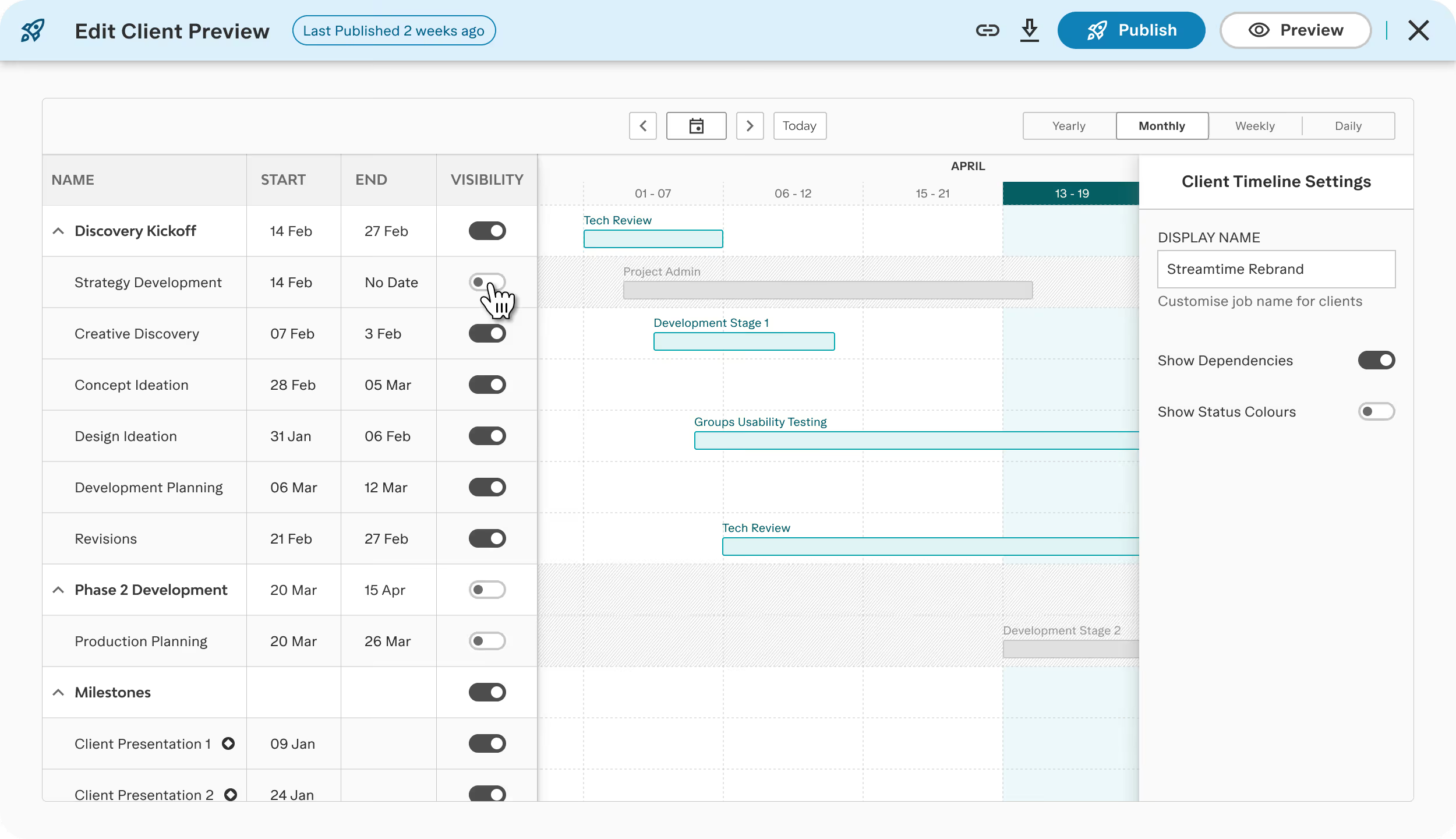
Removed the publish modal on entry. Users land in client edit mode and nothing interrupts them before they are ready to publish.
Added strong visual distinction between internal and client edit modes. The mode switch stays legible, including after following the generated link.
Rewrote the microcopy throughout the flow. Every screen names which timeline you are looking at, internal or client-facing.
Given the significance of this feature, I helped organise a formal launch rather than a silent deployment. I was in a webinar walking through the redesign, and sat down with the lead developer for a blog post Q&A about how it was built.
These efforts created valuable re-engagement opportunities with both current and inactive users, which a simple production release would not have achieved.
I made the launch video in After Effects.
Adoption was immediate — studios started publishing client links in the first fortnight, the exact workflow they'd been rebuilding by hand in Google Sheets.
users in the first fortnight
went straight to the share flow
“We have tried out the new timeline feature and we are obsessed! We haven't been able to build out timelines in Streamtime in the past, but now with the updates we will be using Streamtime.”
— Customer message, two weeks post-release
“Can I tell you again how much I love the new timeline functionality — sharing and exporting. Magic!”
— Customer feedback, six months post-release
If I had tested the Client View earlier, during the lo-fi stage, I might have noticed the mental model issue sooner. Now, I always add mode-switching flows to my early testing checklist.
Next time, I'll also document the tech review process more clearly as a design artefact. With so many conversations happening, it was easy to lose track of decisions, which made it hard to backtrack or give others outside the main project group a clear decision log.

